

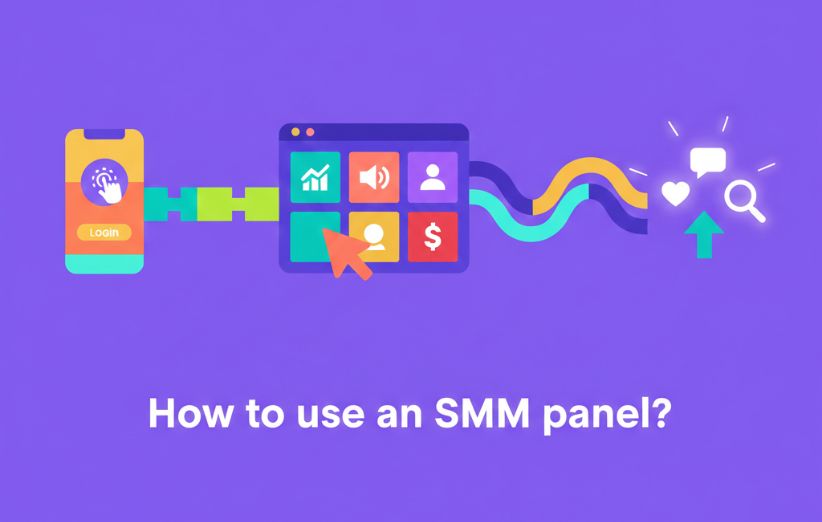
An Instagram panel or another SMM service dashboard can make ordering followers, likes, views, comments, saves, reactions, or similar services look simple. However, using the panel correctly requires more than choosing the cheapest row and pasting a link.
Most avoidable problems begin before the order is submitted. The wrong service, an unsupported link, an incorrect quantity, a private account, an overlapping order, or a misunderstood refill condition can lead to delays, Partial delivery, cancellation, or a result that does not match the buyer’s real objective.
This guide explains How to Use an SMM Panel? from beginning to end. It covers choosing a panel, registering, funding the account, reading service details, calculating the charge, submitting the correct link, tracking statuses, requesting support, handling drops, and deciding whether the result was actually useful.
How to Use an SMM Panel?
Direct answer: To use an SMM panel, first choose a transparent panel and create an account. Add only a small test balance, open the service list, select the correct platform and service, read the minimum, maximum, start time, speed, refill, and link requirements, then paste the exact public profile or content URL. Enter a small quantity, confirm the calculated charge, submit the order, save the Order ID, and monitor its status. Do not change the username, delete the content, make the account private, or place another order on the same link until the first order is complete and reviewed.
The full process is straightforward when each step is completed in the correct order. Skipping the service description or rushing through the link field creates far more problems than the ordering system itself.
- Define the exact result you need.
- Choose and inspect a reliable panel.
- Create and secure your account.
- Add a small test balance.
- Select the correct service.
- Read every service condition.
- Copy the correct public link.
- Enter a suitable quantity.
- Review the cost and submit once.
- Track the Order ID and final result.
| Step | Main Action | Most Common Mistake |
|---|---|---|
| 1 | Choose one specific objective. | Ordering numbers without knowing what they should accomplish. |
| 2 | Inspect the panel and its policies. | Choosing only by the lowest price. |
| 3 | Create an account with secure details. | Reusing a weak password. |
| 4 | Deposit a small test amount. | Creating a large unused balance immediately. |
| 5 | Select the exact platform and metric. | Confusing profile, post, Reel, Story, or video services. |
| 6 | Read limits, timing, refill, and instructions. | Trusting only the service name. |
| 7 | Paste the correct public URL. | Submitting a username, private link, or wrong content. |
| 8 | Choose a small quantity. | Scaling before the service is tested. |
| 9 | Review and submit one time. | Clicking repeatedly and creating duplicate orders. |
| 10 | Save and monitor the Order ID. | Placing another order before the first is complete. |
What Should You Decide Before Opening the Panel?
Begin with one measurable goal. A panel cannot choose the correct service for you when the objective is only “grow my account.” Followers, views, likes, profile visits, comments, saves, impressions, and Story views represent different actions.
| Your Objective | Possible Service Category | What It Does Not Guarantee |
|---|---|---|
| Increase the visible audience count | Followers, subscribers, or members | Future engagement, loyalty, or customers |
| Increase a video’s visible count | Views or plays | Watch time, retention, or viral distribution |
| Support the presentation of a post | Likes, reactions, saves, or comments | Organic ranking or genuine conversation |
| Test profile interest | Profile visits | Follows, inquiries, or purchases |
| Support a temporary content format | Story views or live viewers | Long-term audience growth |
Record the current count before placing the order. Without a baseline, you may not know how much was delivered or whether the dashboard status matches the visible result.
How Do You Choose the Panel Before Registering?
A usable panel should make its services, support route, payment process, limitations, and policies visible before you create a large balance. Do not evaluate it from the homepage design alone.
- Look for clear service descriptions rather than only promotional labels.
- Confirm that Order IDs and transaction history are available.
- Check whether small deposits and low-quantity tests are possible.
- Review support, cancellation, refill, and Partial-order rules.
- Confirm that normal services require public links rather than passwords.
- Search for recent experiences from several sources.
- Test support with a specific question before spending more.
General online-purchase caution also applies. The FTC guidance for buying through online marketplaces recommends checking the seller, contact information, payment protection, policies, recent feedback, and written records before completing a purchase.
How Do You Create and Secure Your Account?
Registration usually requires a name or username, email address, and password. Use an email account you control because password resets, payment notifications, support replies, and security alerts may depend on it.
- Use a unique password that is not shared with your social media account.
- Enable two-factor authentication when the panel supports it.
- Confirm the website domain before entering login information.
- Do not share the panel account with unnecessary users.
- Protect any reseller API key as carefully as a password.
- Log out of shared or public devices.
The panel login and your social media login should remain separate. An ordinary public-link order should not require the password, recovery code, session cookie, or verification code of the destination account.
How Much Money Should You Add First?
Add only enough for one or two small test orders. Your first deposit is for evaluating the panel’s payment records, service behavior, status system, and support—not for funding several months of activity.
| First Deposit Approach | Risk Level | Recommendation |
|---|---|---|
| Minimum required deposit | Lower | Usually the best starting point for a new panel. |
| Enough for two controlled tests | Reasonable | Useful when payment fees make repeated small deposits expensive. |
| Large prepaid balance | High | Avoid until several services and support processes are verified. |
| Funds borrowed for panel use | Very high | Not appropriate for an uncertain or untested outcome. |
Before paying, check the minimum deposit, percentage fee, fixed fee, currency conversion, expected processing time, and whether unused balance can be withdrawn. A $1 order may still require a $10 deposit.
How Do You Browse and Compare SMM Services?
Open the panel’s services area and narrow the list by platform, category, and desired metric. Avoid choosing the first row simply because it has the lowest rate.
Several services may share almost identical names while using different providers, refill periods, speeds, countries, limits, and link types.
| Service Field | What It Means | What You Should Verify |
|---|---|---|
| Service ID | The unique row used by the panel or API. | Save it when contacting support. |
| Rate | Usually the price per 1,000 units. | Confirm the pricing unit and currency. |
| Minimum | The smallest accepted quantity. | Do not enter a lower number. |
| Maximum | The largest accepted quantity per order. | Do not assume the maximum is suitable for a first test. |
| Start time | The estimated delay before delivery begins. | It is not the same as completion time. |
| Speed | The approximate delivery rate per hour or day. | Estimate the likely completion window. |
| Refill | Possible replacement of eligible drops. | Read the period and exclusions. |
| Required link | The profile, post, Reel, Story, video, or channel URL. | Confirm the target matches the service. |
How Do You Read a Service Description Correctly?
The service name is a summary, not the complete agreement. The details may explain that the account must remain public, the username cannot change, another order must not be active, or refill becomes invalid after certain actions.
Review the panel’s service policy together with the specific row. General policy and individual service instructions should support each other rather than conflict.
- Which exact link must be submitted?
- Must the account or content remain public?
- What is the estimated start time?
- How fast is the expected delivery?
- Is refill included, and for how many days?
- Are overlapping orders prohibited?
- Can the username or link change during delivery?
- What happens if the order becomes Partial?
- Is cancellation possible after processing starts?
How Do You Choose the Correct Link?
The link field is one of the most important parts of the order. A technically valid URL can still be wrong for the selected service.
| Service Type | Typical Required Target | Common Wrong Entry |
|---|---|---|
| Profile followers | Public profile URL | A post URL or only the display name |
| Post likes | Exact public post URL | The profile homepage |
| Reel views | Exact Reel URL | A Story, profile, or ordinary post link |
| Story views | Supported Story target or username as specified | An expired Story or unsupported link format |
| Video views | Exact video URL | The channel or playlist URL |
| Channel subscribers | Channel URL | An individual video link |
| Comments | Exact content URL | A private, deleted, or restricted post |
Open the copied link in a private browser window before submitting it. This simple test confirms whether the target is publicly accessible without being logged into your account.
Should You Enter a Username or a Full URL?
Follow the exact service instruction. Some rows accept a username, while others require a complete URL. Never assume two services use the same format because they belong to the same platform.
A full URL is often easier to verify because it identifies the precise target. A username may change, contain punctuation, or refer to a different account on another platform.
How Do You Calculate the Order Cost?
Many SMM panel services are priced per 1,000 units. The panel normally calculates the charge automatically, but understanding the formula helps you catch mistakes.
For example, if the rate is $2.40 per 1,000 and you order 2,500 units:
Always compare the displayed charge with your available balance before submitting. Check whether the quantity field refers to the amount per run or the total amount when using a scheduled feature.
How Much Should You Order the First Time?
Use the smallest practical quantity that can produce a measurable result. The service maximum is a technical limit, not a recommended first order.
| Account Situation | Better First Approach | Approach to Avoid |
|---|---|---|
| New or low-activity account | Minimum or low-quantity test | A sudden order far above the normal baseline |
| Established active account | Controlled test aligned with existing activity | Assuming a large baseline removes all risk |
| Important client project | Test the exact service on a low-risk target first | Using an untested row directly on the client campaign |
| Time-sensitive campaign | Order early enough for the full delivery window | Submitting minutes before the deadline |
The timing considerations discussed in when does an smm need to be sent are important when content expires, a campaign has a deadline, or the account must be prepared before delivery begins.
How Do You Place the Order?
After selecting the service and confirming the target, complete the order form carefully.
- Select the service ID. Recheck the platform, metric, country, refill, and speed.
- Paste the required link. Confirm that it opens publicly and points to the correct target.
- Enter the quantity. Keep it between the listed minimum and maximum.
- Review the charge. Confirm that the displayed amount matches the expected formula.
- Read any final instructions. Check account privacy, overlapping orders, and username rules.
- Submit once. Wait for the confirmation rather than clicking repeatedly.
- Save the Order ID. Keep it with the service ID and original description.
What Should You Save After Ordering?
Keeping a simple record makes support faster and helps you judge whether the service performed as described.
- Internal Order ID
- Service ID and service name
- Submitted link
- Requested quantity
- Charged amount
- Starting count
- Advertised start time and speed
- Refill conditions
- Date and time of submission
- Screenshot of the original description
Service descriptions and provider routes can change. Your saved record shows the conditions that influenced the original purchase.
What Do SMM Panel Order Statuses Mean?
| Status | Typical Meaning | Recommended Action |
|---|---|---|
| Pending | The order exists but delivery has not started. | Wait through the stated start window and avoid duplicates. |
| Processing | The order has been accepted or sent to the provider. | Do not change the link, username, or privacy setting. |
| In Progress | Delivery has begun but is not complete. | Monitor the count and expected speed. |
| Completed | The system reports full delivery. | Compare the final count with the recorded baseline. |
| Partial | Only part of the requested quantity was delivered. | Verify the delivered amount and eligible balance return. |
| Cancelled | The order stopped before full delivery. | Review the reason, delivery, and returned balance. |
| Failed | The provider or system could not process the order. | Check whether the charge returned automatically. |
| Refilling | An eligible replacement request is being processed. | Keep the target unchanged and wait for the refill window. |
How Long Should You Wait Before Contacting Support?
Compare the current situation with the written start time and speed. Contacting support five minutes after submitting a service with a six-hour start window usually does not provide useful information.
| Situation | When Support May Be Appropriate |
|---|---|
| Order still Pending | After the advertised start window has clearly passed. |
| Order In Progress | When delivery has stopped far beyond the expected speed. |
| Completed but count is incorrect | After confirming the baseline and allowing normal count updates. |
| Partial without balance return | After the panel’s normal accounting update period. |
| Failed but balance remains deducted | After refreshing transaction history and checking for an automatic return. |
| Eligible drop | Within the refill period and according to the request rules. |
A useful ticket includes the Order ID, service ID, link, starting count, current count, status, and one clear requested action. Avoid opening several tickets for the same order.
Can You Cancel or Edit an SMM Panel Order?
Cancellation or editing may be possible only before provider processing begins. Once the order is Processing or In Progress, the panel may be unable to change the link, quantity, or service.
Read the cancellation policy before ordering rather than after a mistake. The policy should explain Pending orders, wrong links, duplicate submissions, Partial results, Failed orders, and unused balance.
| Order Condition | Possible Action | Likely Limitation |
|---|---|---|
| Pending and not sent | Cancellation or correction may be possible. | The panel must confirm that provider processing has not started. |
| Processing | Support may review the order. | Editing is often unavailable. |
| In Progress | Usually wait for completion or Partial status. | Delivered activity cannot normally be reversed. |
| Completed | Review delivery or refill eligibility. | Cancellation is generally no longer possible. |
| Wrong public link | Contact support immediately. | A valid but incorrect target may still receive delivery. |
Why Should You Avoid Overlapping Orders?
Two active orders on the same target can make it difficult to identify which provider delivered which quantity. This can affect start-count tracking, remains, Partial calculations, refill eligibility, and support investigations.
Wait until the first order reaches a final status and the visible result is reviewed. If a second order is necessary, record the new baseline before submitting it.
How Do You Use Drip-Feed?
Drip-feed divides one intended campaign into several scheduled runs. Instead of delivering the entire amount at once, the panel submits smaller quantities at defined intervals.
Before activating it, review what is drip feed in smm panel and confirm that the selected service explicitly supports the feature.
| Drip-Feed Field | Meaning | Example |
|---|---|---|
| Quantity | Amount delivered during each run | 500 views |
| Runs | Number of scheduled orders | 6 runs |
| Interval | Time between runs | 24 hours |
| Total quantity | Quantity multiplied by runs | 3,000 views |
Do not enter the total campaign quantity in the per-run field unless that is what you intend. Six runs of 3,000 would create an 18,000-unit campaign.
How Does Refill Work?
Refill is a conditional replacement process for eligible drops. It does not mean the metric can never decrease.
The dedicated explanation what is refill in smm panel covers the difference between automatic and manual refill, refill periods, minimum drops, provider availability, and common exclusions.
| Refill Requirement | Why It Matters |
|---|---|
| Order is within the refill period | Expired orders are normally no longer eligible. |
| Drop exceeds the required minimum | Small count fluctuations may not qualify. |
| Account remains public | The provider needs access to verify and deliver. |
| Username and target remain unchanged | Changes may prevent order matching. |
| No overlapping order | Another provider’s delivery can make the drop impossible to calculate. |
| Original service remains available | A paused provider may delay or prevent replacement. |
What Should You Do After the Order Is Completed?
Do not judge the order only from the Completed label. Compare the visible result with the baseline, requested quantity, final status, remains, and transaction history.
The checklist in what happens after delivery helps separate immediate completion from the later steps of count verification, retention observation, refill eligibility, and support review.
- Record the final visible count.
- Compare delivery with the starting count.
- Confirm that the order status is accurate.
- Check whether any Partial balance was returned.
- Observe retention during the relevant period.
- Measure profile visits, clicks, genuine engagement, or conversions.
- Save the final result for future service comparison.
How Do You Know Whether the Order Was Useful?
Separate service delivery from marketing value. A panel can complete the ordered quantity without improving the wider campaign.
| Delivery Question | Marketing Question |
|---|---|
| Did the order start within the expected window? | Did relevant users notice the content? |
| Was the requested quantity delivered? | Did profile visits or website visits increase? |
| Was the final status accurate? | Did genuine saves, shares, replies, or inquiries improve? |
| Did the service remain stable? | Did the campaign produce leads, customers, or revenue? |
| Was support effective? | Was the full cost justified by the outcome? |
A useful order should support a defined objective at an acceptable cost. A larger number without a relevant benefit may be technically delivered but strategically unnecessary.
How Can You Use an SMM Panel More Safely?
No method can remove every platform, provider, or account risk. You can, however, avoid unnecessary exposure by using public links, small tests, realistic quantities, and clearly documented services.
The conditional risks discussed in is smm panel safe show why safety depends on the panel, service, account, order size, access requirements, platform rules, and user behavior rather than one universal answer.
- Never share social media passwords or verification codes.
- Use only the public link required by the service.
- Begin with the minimum practical quantity.
- Avoid sudden orders that are far above normal account activity.
- Do not use several providers on the same target simultaneously.
- Keep content and profiles public while delivery is active.
- Do not change usernames or delete targets during the order.
- Keep building genuine content and community activity.
- Stop when results become unclear, unstable, or unsuitable.
What Are the Most Common Beginner Mistakes?
| Mistake | Possible Result | Better Approach |
|---|---|---|
| Choosing only by price | Unstable delivery or weak support | Compare timing, refill, limits, records, and test results. |
| Ignoring the service description | Wrong link, invalid quantity, or lost refill eligibility | Read the full row before funding the order. |
| Ordering too much first | Large financial and account exposure | Use the smallest measurable test. |
| Entering the wrong target | Delivery to unrelated content | Open the link privately and confirm the service type. |
| Making the account private | Interrupted or failed delivery | Keep it public until the order and review are complete. |
| Placing overlapping orders | Unclear counts and refill disputes | Wait for the first order to reach a final status. |
| Expecting organic growth automatically | Completed delivery with no meaningful audience response | Use the panel only as support for a broader strategy. |
| Opening duplicate support tickets | Slower or fragmented investigation | Use one complete ticket with all relevant evidence. |
What Should a Good Support Ticket Include?
Support can review an order more efficiently when the request identifies the exact problem and includes enough evidence.
“Order 784512 used Service 246 for 1,000 followers. The starting count was 2,450, the current count is 2,970, and the order status shows Completed. Please review the missing quantity. The profile remained public and no second order was placed.”
- Order ID
- Service ID
- Submitted link
- Starting and current counts
- Current order status
- Date of submission
- Relevant screenshot
- One clear requested action
Do not include passwords, recovery codes, session cookies, or unrelated private information in the ticket.
When Should You Stop Using a Service?
Stop or pause when the service repeatedly fails, produces heavy drops, creates unclear statuses, requires unsafe information, or provides no useful result beyond the purchased count.
| Warning Sign | Recommended Decision |
|---|---|
| Repeated unexplained delays | Pause future orders and test an alternative. |
| Completed status without matching delivery | Request review and avoid scaling. |
| Heavy drops outside reasonable expectations | Compare refill and alternative service costs. |
| Support cannot trace the Order ID | Reduce financial exposure to the panel. |
| Private credentials requested | Do not continue with the order. |
| No meaningful campaign benefit | Move the budget to content, ads, partnerships, or conversion work. |
What Is the Final Checklist Before Submitting?
- I know the exact objective of the order.
- I selected the correct platform and metric.
- I read the minimum, maximum, start time, and speed.
- I understand the refill and cancellation conditions.
- The target link opens publicly.
- The link matches the service type.
- The quantity is suitable for a first or repeat test.
- The calculated charge is correct.
- No other order is active on the same target.
- I recorded the starting count.
- I will not change the username, privacy, or target during delivery.
- I understand that delivery does not guarantee organic growth or sales.
Final Answer: How Should You Use an SMM Panel?
Use an SMM panel as a controlled ordering tool rather than a shortcut to guaranteed social media success. Create a secure account, add a small balance, select one clearly defined service, read every condition, submit the correct public link, and begin with a low quantity.
After submission, save the Order ID, avoid changing the target, wait through the stated delivery window, and monitor the status. Review the final count, retention, transaction history, and any real effect on profile visits, engagement, traffic, leads, or sales.
The process works best when the user remains patient and precise. Most preventable problems come from choosing the wrong service, entering the wrong link, ordering too much, misunderstanding refill, or placing a second order before the first has finished.
A correctly submitted order should be traceable and measurable. A useful order should also support a real objective beyond making one number larger.
Frequently Asked Questions
These questions address the most common practical concerns about deposits, passwords, wrong links, delivery times, and overlapping orders.
How much money should I add when using an SMM panel for the first time?
Add only enough for one or two small test orders. The exact amount depends on the panel’s minimum deposit, payment fee, service rate, and minimum quantity.
Avoid creating a large unused balance until payments, delivery, transaction records, and support have been tested successfully.
Do I need to give an SMM panel my social media password?
Ordinary followers, likes, views, comments, saves, and similar public-target services should normally require only the correct public profile or content link.
Do not provide passwords, verification codes, recovery information, session cookies, or private login access for a normal panel order.
What happens if I enter the wrong link in an SMM panel?
Contact support immediately with the Order ID. Correction or cancellation may be possible only while the order is still Pending and has not been accepted by the provider.
Once delivery begins, activity sent to a valid but incorrect target may be impossible to reverse or refund.
How long does an SMM panel order take?
The total time depends on the estimated start time, delivery speed, requested quantity, provider capacity, platform conditions, and whether the target remains accessible.
A service that starts in one hour may still require several hours or days to complete. Start time and completion time should always be evaluated separately.
Can I place two SMM panel orders on the same link?
Avoid placing overlapping orders unless the service description explicitly allows it. Two active orders can make start counts, remains, Partial results, and refill eligibility difficult to calculate.
Wait for the first order to reach a final status, review the result, record a new baseline, and then submit the next order if needed.